How Many Watts Does a Rack Server Use per Month?
By Marcus Webb · Published · Updated · 5 min read
A rack server's spec sheet wattage is a starting point, not a bill. The number that matters for your budget is monthly kilowatt-hours, which depends on average load, power supply efficiency, cooling overhead and the rate you actually pay. Miss any of those and your estimate can be off by half or more.
This guide walks through the conversion from nameplate watts to a monthly electricity figure, gives realistic ranges for common 1U and 2U configurations, and shows how small changes in load factor and rate move the final number.
Start with nameplate wattage, then discount it
Every server has a nameplate rating on the power supply, usually 500 to 1,600 watts for a 1U or 2U chassis. That figure is the maximum the supply can deliver, not what the server draws. A dual-socket 1U with 16 cores, 256 GB of RAM and four SSDs typically idles around 90 to 130 watts and peaks near 350 to 450 watts under sustained load.
The gap between idle and peak is why a single 'watts' number is misleading. What you want is average draw over a representative week. If you have iDRAC, iLO or IPMI access, pull the power history and average it. If you do not, assume 50 to 65 percent of peak for a busy general-purpose server and 25 to 35 percent for one that mostly idles.
- Nameplate rating is a ceiling, not a consumption figure
- Idle draw is often 25–35% of peak on modern 1U servers
- Average load factor of 50–65% suits steady production workloads
- Pull iDRAC/iLO power history before estimating from spec sheets
Convert watts to monthly kilowatt-hours
The arithmetic is simple once you have an average draw. Multiply average watts by hours in the month, then divide by 1,000. A server averaging 250 watts running continuously for 730 hours consumes 182.5 kWh. At 300 watts it is 219 kWh; at 400 watts it is 292 kWh. Those differences compound across a rack.
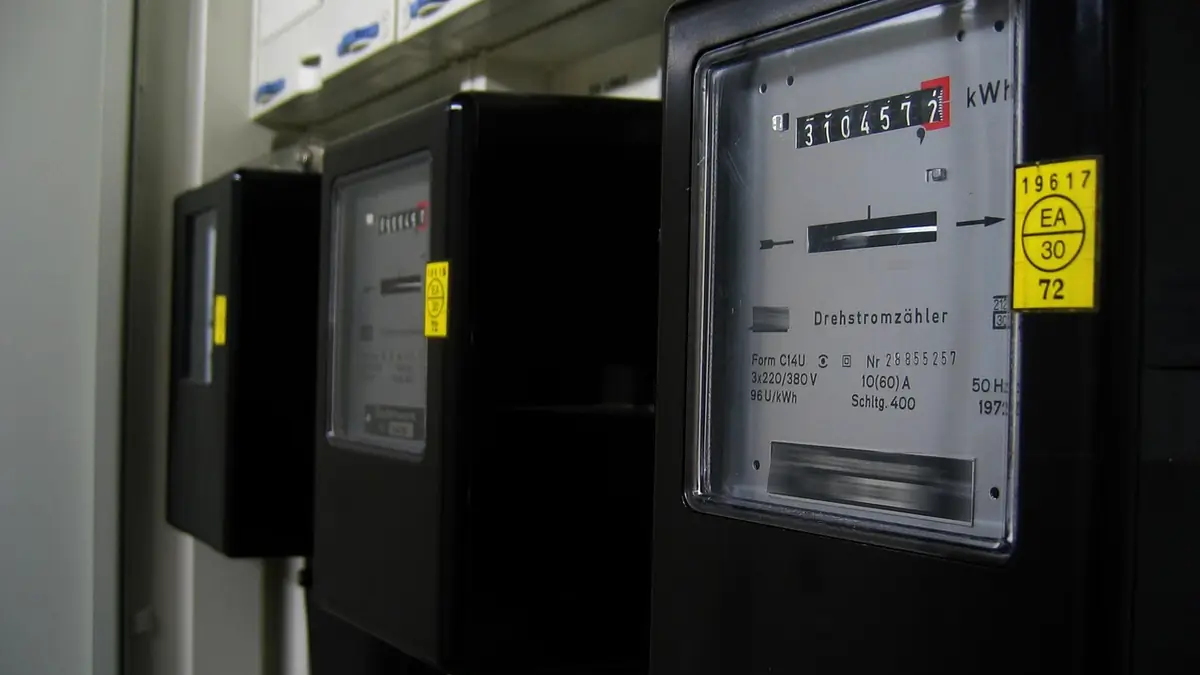
Be careful with the hours figure. A 30-day month is 720 hours, a 31-day month is 744, and the annual average is 730. Using 720 consistently is fine for planning, but if you are reconciling against a real utility bill, use the actual days in the billing period. Also confirm whether your server room is metered separately or folded into a general building charge.
- kWh = average watts × hours ÷ 1,000
- Use 730 hours for a typical month, actual days for reconciliation
- Add 3–8% for PSU conversion losses at typical load
- Meter the circuit if you need defensible numbers for chargeback
Add cooling and facility overhead
A server does not pay for its own electricity alone. Every watt of IT load becomes heat that cooling must remove, plus losses in UPS systems, PDUs and transformers. The multiplier is PUE, power usage effectiveness. A well-run small server room often lands between 1.5 and 1.8; older rooms with wall-mounted split units can hit 2.0 or higher. Hyperscale halls get closer to 1.1 to 1.2, which is not your situation.
Multiply IT kWh by PUE to get facility kWh. A 250-watt server at PUE 1.6 effectively draws 400 watts from the utility meter, and that is the number your rate applies to. If you are sizing a UPS or a circuit, do not use PUE — use peak nameplate and derate to 80 percent. PUE is a billing concept, not a capacity one.
If you rent colocation space, the operator's PUE is baked into your power price per kilowatt, so ask what PUE assumption sits behind the quote. This is one of the clauses worth checking in a data center SLA, since power commitments and overage rates vary widely between providers.
- Small server room PUE: typically 1.5–1.8
- Older rooms with split cooling: 1.8–2.2
- Facility kWh = IT kWh × PUE
- Use peak watts, not PUE, when sizing circuits and UPS
Apply your real electricity rate
Commercial rates vary enormously by region and tariff structure. In many markets you will see 0.10 to 0.20 per kWh for the energy component, but demand charges, time-of-use bands and fixed fees can push the effective rate to 0.18 to 0.30 or higher. A server running around the clock pays the off-peak rate for much of its consumption, which helps, but demand charges are set by your peak and do not care about average load.
Get the effective rate from three consecutive bills: total charge divided by total kWh. That single number is what you should plug into the calculation. Using a headline energy rate without demand and fixed charges routinely underestimates the real cost by 20 to 40 percent for small commercial accounts.
- Use effective rate (total bill ÷ total kWh), not the headline rate
- Demand charges are driven by peak, not average, consumption
- Time-of-use tariffs reward shifting batch jobs to off-peak
- Re-check the rate every quarter; contracts change
Worked examples across common server sizes
A single-socket 1U file and print server might average 110 watts. Over 730 hours that is 80 kWh of IT load, or 128 kWh at PUE 1.6. At an effective rate of 0.18 per kWh, that is roughly 23 per month. A dual-socket 2U virtualization host averaging 320 watts consumes 234 kWh IT, 374 kWh facility, and about 67 per month at the same rate.
A 4U GPU node changes the picture entirely. Four mid-range accelerators under steady inference load can pull 1,200 to 1,800 watts average, with peaks far higher. At 1,500 watts average you are looking at 1,095 kWh IT and roughly 1,750 kWh facility, or around 315 per month. That is before any storage or network gear, and it is why GPU capacity is priced the way it is.
Storage decisions interact with this too. Dense arrays of spinning disks add 8 to 15 watts each plus cooling, which is a meaningful line item at scale, as covered in the SSD versus HDD cost comparison for small business servers.
| Configuration | Avg IT watts | Monthly IT kWh | Facility kWh (PUE 1.6) | Monthly cost at 0.18/kWh |
|---|---|---|---|---|
| 1U single-socket, light load | 110 | 80 | 128 | ~23 |
| 1U dual-socket, moderate load | 200 | 146 | 234 | ~42 |
| 2U dual-socket virtualization host | 320 | 234 | 374 | ~67 |
| 2U storage server, 12 HDDs | 280 | 204 | 327 | ~59 |
| 4U GPU node, steady inference | 1,500 | 1,095 | 1,752 | ~315 |
| Full 42U rack, mixed, 6 kW avg | 6,000 | 4,380 | 7,008 | ~1,261 |
Where the estimate usually goes wrong
The most common error is using peak or nameplate watts as the average, which can triple the estimate. The second is forgetting cooling. The third is ignoring everything that is not the server: switches, a UPS with its own idle draw, a KVM, monitors left on, and the air conditioner's fan running continuously. A small rack of four servers plus network gear often draws 30 to 50 percent more than the servers alone.
If you are planning a move to hosted infrastructure, compare the monthly power figure against cloud pricing carefully — cloud bills bundle power, cooling, space and staff, and the comparison is rarely apples to apples. Our guide on calculating cloud storage costs before you migrate covers the storage side of that equation. On the network side, the managed versus unmanaged switch comparison explains why a managed switch adds a few watts but can cut idle-port waste.
- Nameplate watts are a ceiling; average draw is typically 30–65% of peak
- Multiply IT kWh by PUE (1.5–1.8 for most small rooms) to get billed kWh
- Use the effective rate from real bills — demand and fixed charges add 20–40%
- Include switches, UPS idle draw and cooling fans or you will underestimate by a third
Marcus writes about networking, cabling, and day-to-day IT operations. He prefers straightforward comparisons and calculators that help readers size equipment before they buy.