SSD vs HDD for Small Business Servers: Real Cost Comparison
By Daniel Reeves · Published · Updated · 5 min read
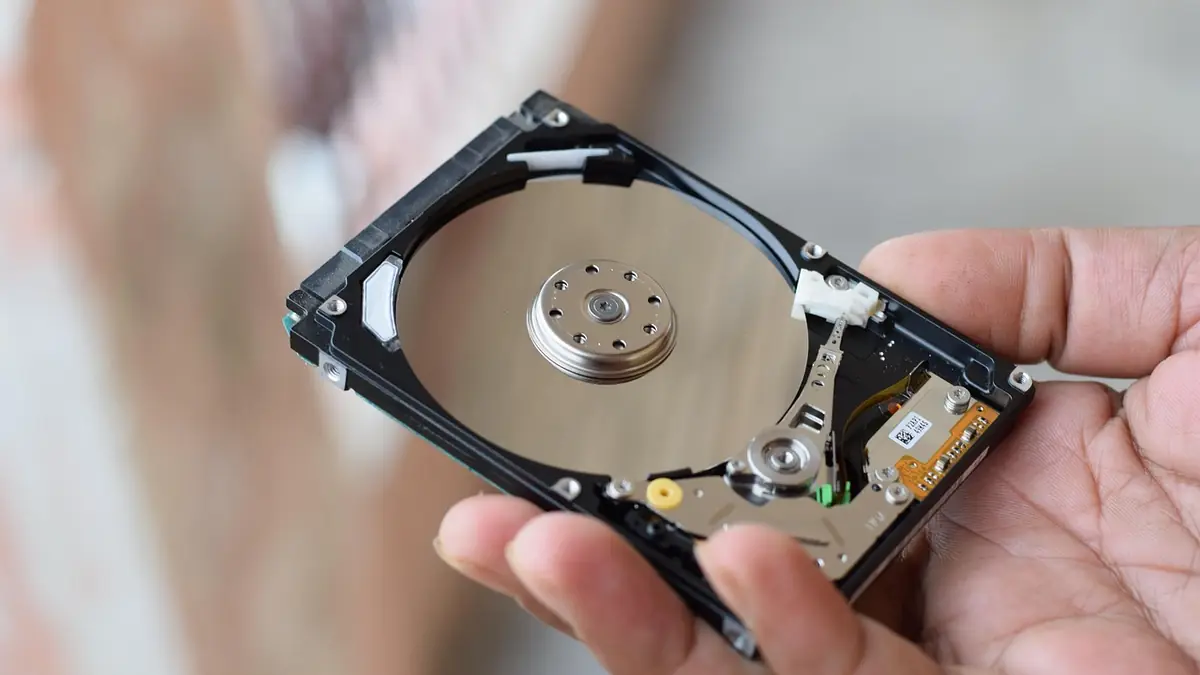
The sticker price of a 2 TB hard drive is still a fraction of a 2 TB enterprise SSD, so most small businesses default to spinning disks and move on. That comparison hides the real cost: power, cooling, controller slots, failure exposure, and the hours someone spends rebuilding an array at 2 a.m.
This breakdown puts typical 2024-2025 street prices next to the operational numbers that actually decide the budget. The goal is not to declare a winner but to show the break-even point, which for most small server rooms lands somewhere around 8-16 TB of usable capacity depending on workload.
Purchase Price: Where the Gap Actually Sits
A 2 TB 7.2K SATA hard drive typically runs $70-110 new, while a 1.92 TB enterprise SATA SSD sits around $180-280. Per raw terabyte, that is roughly $40-55 for spinning disks versus $100-150 for flash, so a 24 TB usable array built on HDDs might cost $1,200 in drives against $3,000 in SSDs.
The gap narrows fast when you count what the drives plug into. SSDs deliver far more IOPS per slot, so a workload that needs 12 HDDs to hit a performance target may be satisfied by four SSDs. That frees backplane bays, RAID controller ports, and cable runs, which have their own cost.
Refurbished and nearline drives can undercut these figures by 40-60%, but mixed batches and unknown power-on hours introduce risk that is hard to price. For anything holding production data, buy new or buy from a vendor that reports SMART history per unit.
- 2 TB 7.2K SATA HDD: roughly $70-110 new
- 1.92 TB enterprise SATA SSD: roughly $180-280 new
- Per-TB cost: about $40-55 (HDD) vs $100-150 (SSD)
- Drive cost is typically 40-60% of the total storage line item
Power, Cooling, and the Five-Year Bill
A 3.5-inch 7.2K drive idles around 5-7 W and peaks near 9-12 W under load; a 2.5-inch enterprise SSD draws about 2-4 W active and under 1.5 W idle. Twelve HDDs therefore pull roughly 60-100 W continuously, while twelve SSDs pull 20-40 W. That difference runs 24/7 and gets multiplied by cooling overhead, typically 1.3-1.6x in a small room with a split unit.
At $0.15/kWh, 60 W of continuous draw costs about $79 per year before cooling. Add 40% for cooling and it is roughly $110 per year per server. Over five years, the power delta between a 12-drive HDD array and an equivalent SSD array is often $400-700, which eats a meaningful chunk of the purchase gap.
In a home-office or closet rack, the effect compounds. Heat removal is limited, fan noise matters, and a UPS sized for the load has less headroom. If you are already tight on power budget, the sizing math in How to Size a UPS for a Home Office Rack is worth running before adding drives.
- 7.2K HDD: about 5-12 W per drive depending on state
- Enterprise SSD: about 1-4 W per drive
- Cooling overhead: multiply by 1.3-1.6x in small rooms
- Five-year power delta for 12 drives: roughly $400-700
Failure Rates and the Rebuild Problem
Field data from large fleets consistently shows annualized failure rates in the low single digits for both technologies, but the failure mode differs. HDDs fail mechanically and often give warning through SMART attributes; SSDs tend to fail with less notice, and wear-out depends on write volume rather than age alone.
The bigger operational difference is rebuild time. Rebuilding a failed 8 TB HDD in a RAID 5 array at typical sustained rates can take 10-30 hours, during which the array is degraded and every remaining disk is under heavy read load. SSD rebuilds finish in a fraction of that, sometimes under two hours, which shrinks the exposure window dramatically.
For small teams without 24/7 coverage, that window matters more than the AFR percentage. A degraded array that runs for a day and a half is a real risk. Pair any array with a tested backup routine; the checklist in Backup Strategy Checklist for Small IT Teams covers the basics of verification and restore drills.
- Both technologies: low single-digit annualized failure rates in large fleets
- HDD rebuild of 8 TB array: often 10-30 hours
- SSD rebuild of same capacity: typically 1-3 hours
- Always verify restores, not just backup job success
Workload Fit: Where HDDs Still Win
Sequential, capacity-heavy workloads remain HDD territory. Backup targets, media archives, surveillance footage, and cold file shares rarely need IOPS and benefit from cheap capacity. A 4-bay NAS with four 8 TB drives gives 24 TB usable in RAID 5 for under $700 in media, which no flash configuration matches.
Virtualization hosts, databases, and anything with many small random reads are the opposite case. A dozen virtual machines booting simultaneously will saturate an HDD array instantly, and the resulting latency complaints cost more in staff time than the drives ever saved. Mixed tiers usually beat either extreme.
A practical split: flash for the hypervisor datastore and databases, spinning disks for bulk backup and archive. Keep the two pools separate so a runaway backup job cannot starve production IOPS, and size the network links accordingly.
- HDD: backup targets, archives, media, surveillance
- SSD: VM datastores, databases, mail stores, boot volumes
- Mixed tier: flash for hot data, HDD for bulk and cold
- Separate pools to protect production latency
The Break-Even Calculation
Add four numbers: drive purchase price, five-year power and cooling, expected rebuild and admin hours, and the cost of a performance shortfall. For a 4-8 TB usable array, flash usually wins once you price in a few hours of admin time per year and any power cost above $0.10/kWh.
Above roughly 16 TB usable, the per-TB premium of flash becomes hard to justify for cold data, and a hybrid approach wins. The table below summarizes typical figures; your quotes will vary by region, warranty length, and vendor.
Do not forget the rest of the rack. Cabling, switch ports, and rack space all scale with drive count, and those costs are covered in Network Cabling Cost Guide for a Small Office. A 12-drive chassis needs more of everything than a 4-drive one.
| Metric | 4 TB HDD array (RAID 5) | 4 TB SSD array (RAID 5) | 16 TB HDD array (RAID 5) |
|---|---|---|---|
| Media cost | $220-330 | $540-840 | $700-1,100 |
| Active power (4 drives) | 20-48 W | 6-16 W | 40-96 W |
| Five-year power + cooling | $220-530 | $70-180 | $440-1,060 |
| Rebuild time (approx.) | 4-10 hours | under 1 hour | 10-30 hours |
| Random IOPS (array) | 400-900 | 40,000+ | 400-900 |
| Best fit | Backup, archive | VMs, databases | Bulk cold storage |
Warranty, Endurance, and Replacement Timing
Enterprise SSDs are rated by drive writes per day, typically 1-3 DWPD for read-intensive models and higher for mixed-use. A small business writing 50 GB per day to a 1.92 TB drive uses well under 0.1 DWPD, so endurance is rarely the constraint; the warranty term usually expires first.
HDD warranties run three to five years, and drives often survive past that, but failure probability climbs after year four. Budget for replacement rather than waiting for a failure, and track power-on hours per drive. The same logic that applies to endpoints applies here, as covered in Laptop Refresh Cycle: When Replacing Beats Repairing.
Keep one cold spare per drive model on the shelf. For HDDs that means a tested, formatted unit; for SSDs, confirm firmware compatibility before the failure happens, not after.
- SSD endurance: check DWPD rating against actual write volume
- HDD: plan replacement around year four to five
- Keep one cold spare per model on site
- Verify firmware compatibility before you need the spare
- Below roughly 8 TB usable, flash usually wins once power, cooling, and admin time are priced in.
- Above 16 TB usable, HDDs remain the cheaper home for cold and bulk data.
- SSD rebuilds finish in hours rather than a day, which matters more than raw failure rates for small teams.
- Budget for a cold spare and a replacement cycle at year four to five regardless of technology.
Daniel focuses on practical hardware buying and data center operations. He writes step-by-step guides that turn equipment specs into budgets and checklists for small IT teams.